Adding Balance
In this article we will learn about adding balance to the Metered account.
Adding Balance to the Metered account.
Screenshots below show the new dashboard. If you use the classic dashboard, pick the Classic dashboard tab — your choice is remembered on every page. You can switch at any time: Old dashboard in the header takes you back to the classic dashboard, and dashboard.metered.ca/v2 opens the new one. What changed in the new dashboard →
- New dashboard
- Classic dashboard
Go to Account → Billing. Add a card under Payment methods if you have not already — Continue to payment stays disabled until one is on file. Then enter an amount under Add Funds and click Continue to payment.
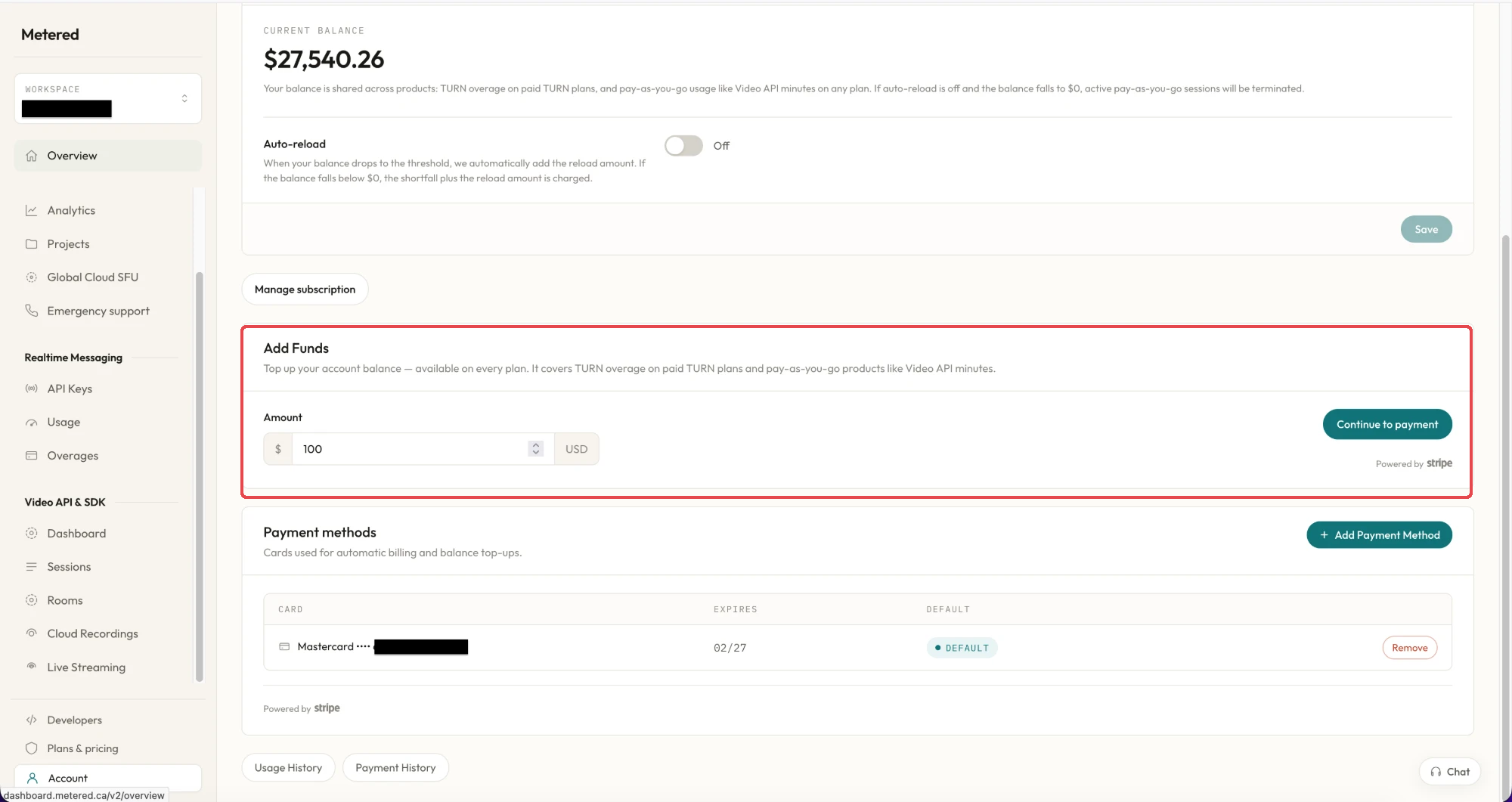
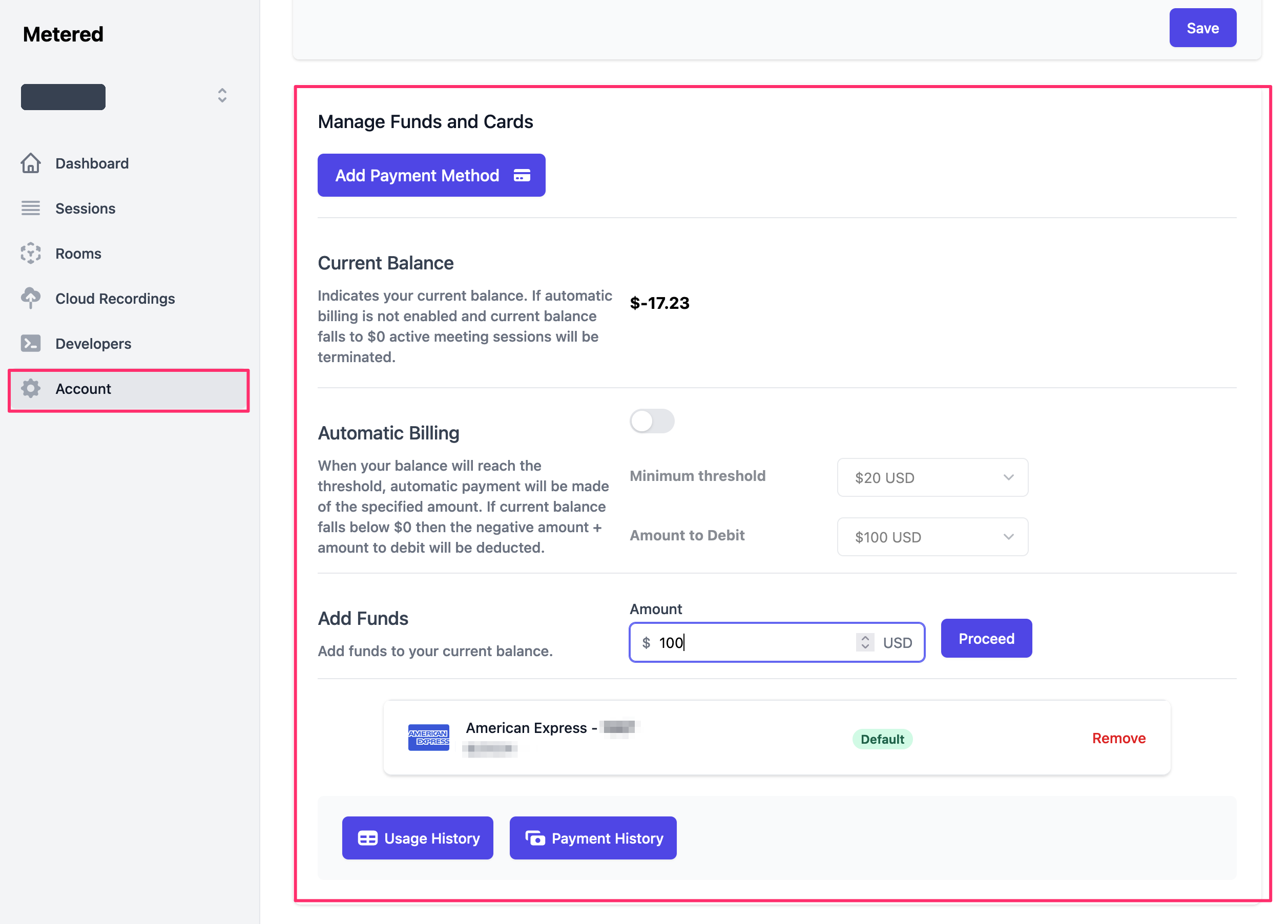
To add balance to you Metered Account go to Dashboard -> Account-> scroll down to Manage funds and cards
Add Payment Method and then click on Add funds to add funds to your Metered Account.
Can the left over balance be converted to cash
NO, The Metered Balance cannot be converted back into cash. So, only re- charge the amount you plan on using