Restrict TURN Traffic to a Region
Metered TURN Server offers a global endpoint, "global.relay.metered.ca", which automatically routes users to the nearest TURN Server based on their location.
However, for reasons such as data security and compliance, you may want to restrict TURN traffic to a specific region and use the TURN Server located in that region. For this purpose, we also provide region-specific endpoints.
To view our full list of region-specific endpoints, refer to our TURN Server Regions page.
Screenshots below show the new dashboard. If you use the classic dashboard, pick the Classic dashboard tab — your choice is remembered on every page. You can switch at any time: Old dashboard in the header takes you back to the classic dashboard, and dashboard.metered.ca/v2 opens the new one. What changed in the new dashboard →
- New dashboard
- Classic dashboard
Open TURN Server → Credentials. The TURN region card at the top sets the workspace's default region: credentials whose region is Workspace default relay through the servers of this region.

With Global (automatic) selected, Get credential → Show ICE Servers Array returns the global endpoints — notice the domain global.relay.metered.ca.

To pin traffic to Canada, choose Canada (all) in the TURN region dropdown, then click Confirm Change in the Confirm region change dialog.

Get credential → Show ICE Servers Array now returns the Canadian endpoints — the domain is ca.relay.metered.ca.

If you use this ICE Servers array in your application, all the traffic will be relayed through the servers in Canada.
You can also pin a single credential to a region when you create it: in the Create Credential dialog, set Region instead of leaving it on Workspace default. Such a credential keeps its own region regardless of the workspace setting.
Note that if you hard-coded the global ICE Servers array in your application and later change the region, your application keeps using the global endpoints until you update the array — or fetch it at runtime as described below.
From the dashboard, you can set the default region for your account. When you create a TURN credential and click on the "Show ICE Servers Array" button, it will display the ICE Servers array for your selected region.
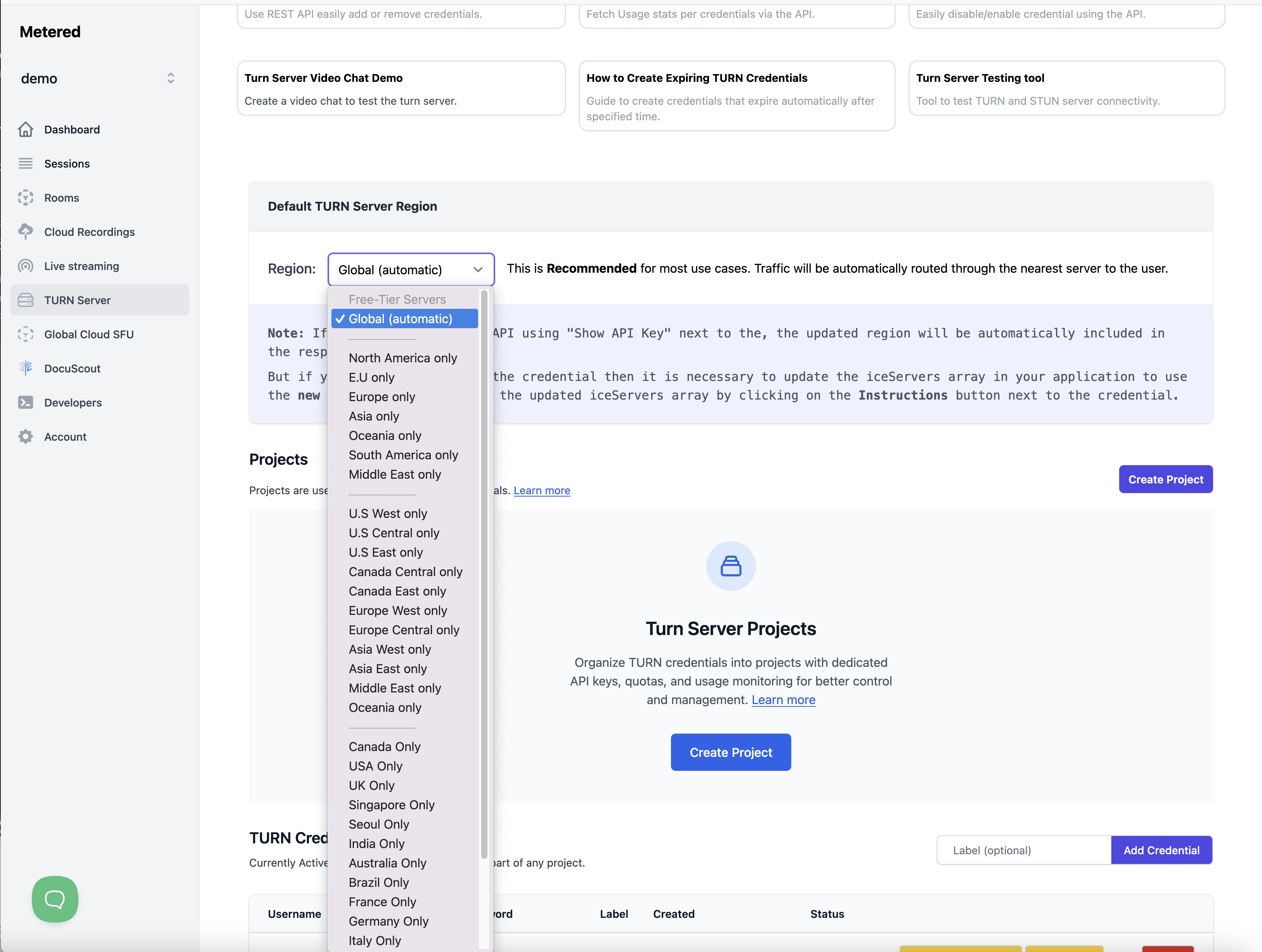
For example, if you select "Global" in the dashboard and then click on the "Show ICE Servers Array" button:

It will show you the Global ICE Servers array. Notice the domain in the iceServers array is global.relay.metered.ca.
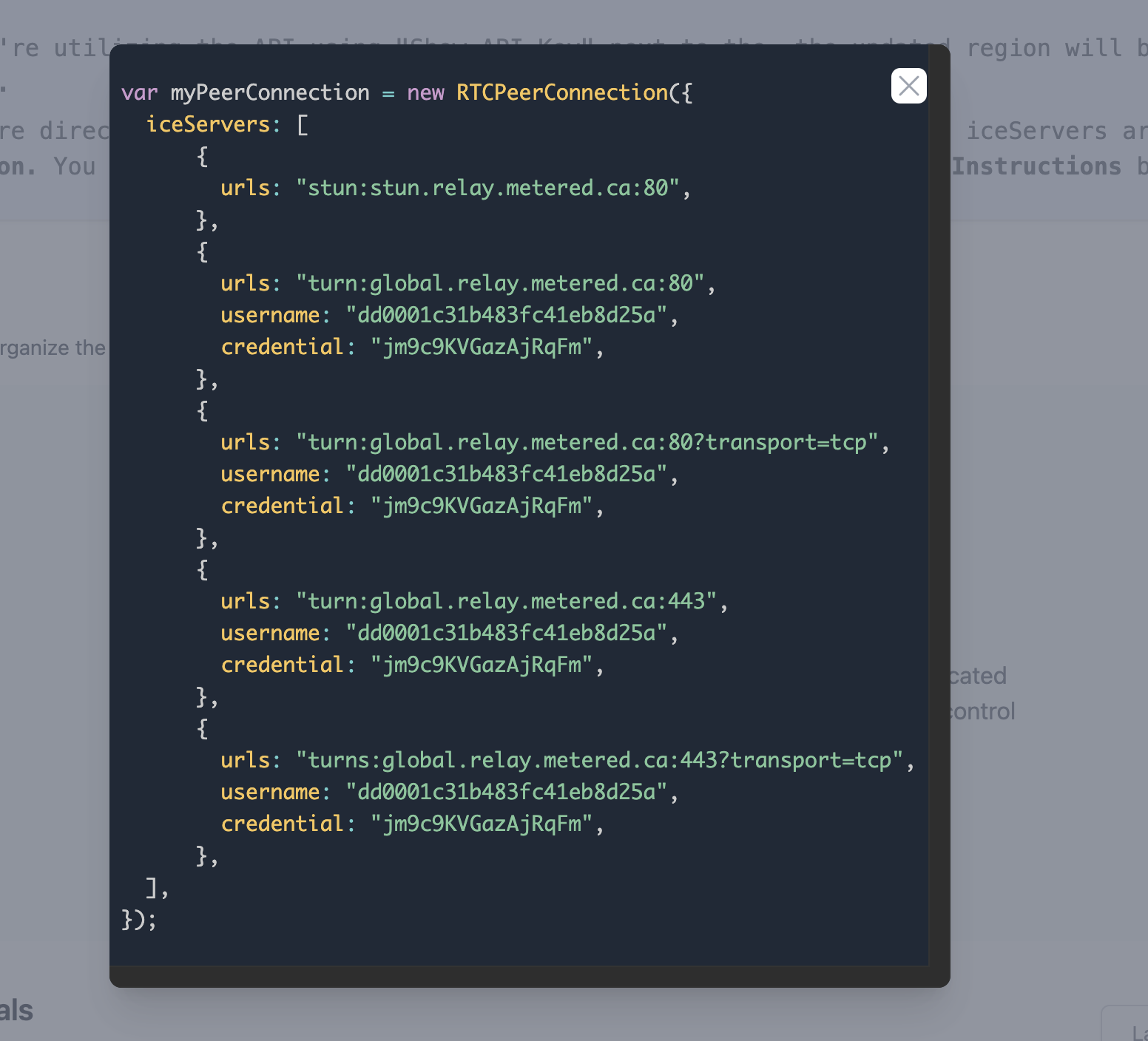
Now, if you want to restrict or pin the traffic to Canada only, so that only the TURN Servers in Canada are used to relay the traffic, select "Canada Only" from the dropdown.
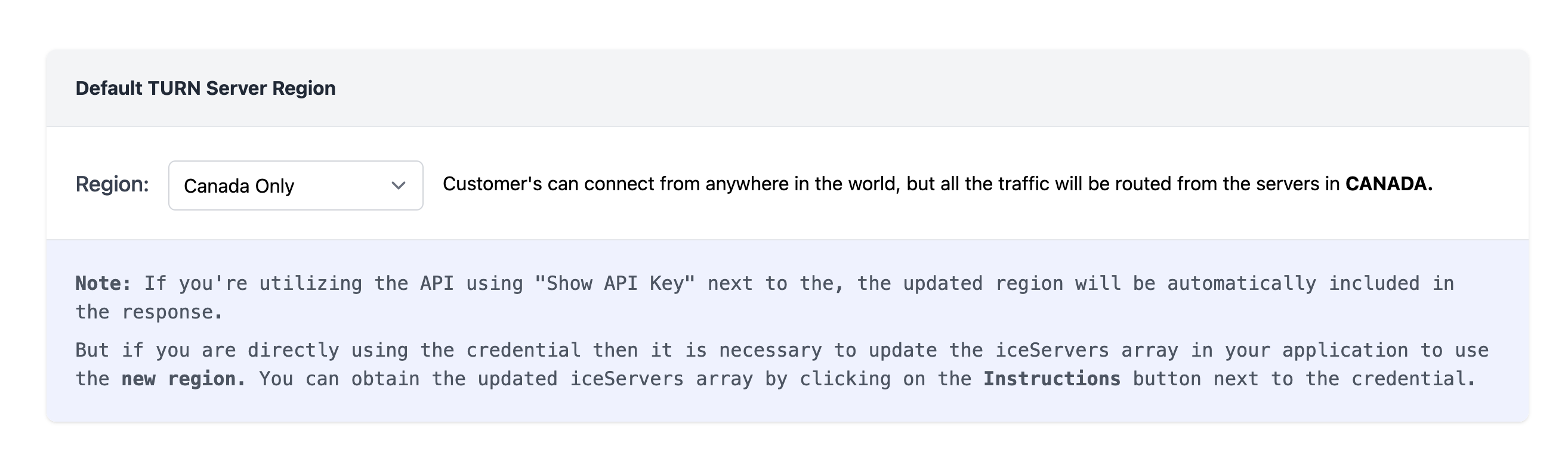
If you then click on the "Show ICE Servers Array" button next to the TURN Credential, it will show you the ICE Servers array with the domain ca.relay.metered.ca.
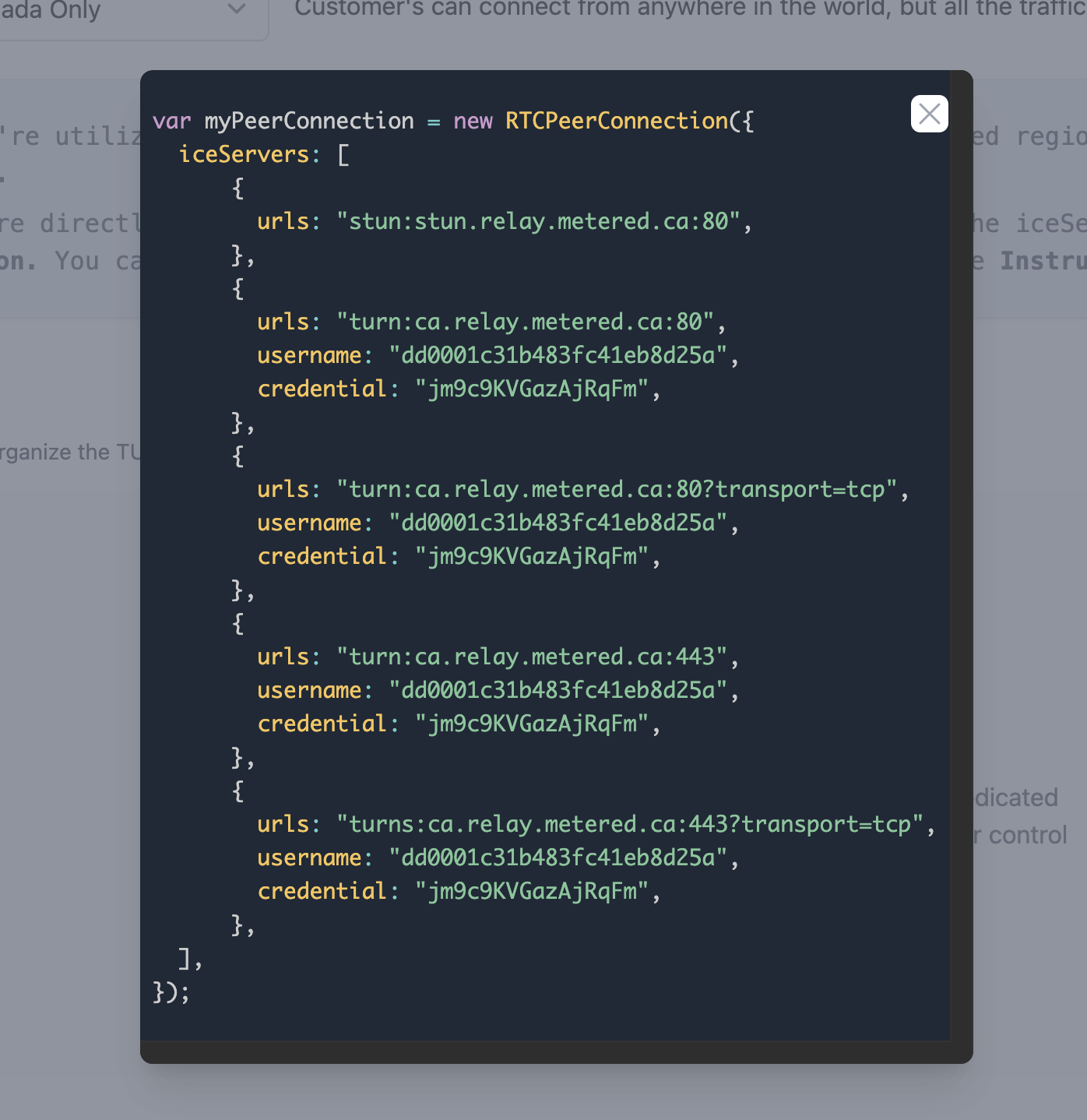
If you use this ICE Servers array in your application, all the traffic will be relayed through the servers in Canada.
Note that if you are using the global ICE Servers array in your application and later change the region to, for example, "Canada Only" using the dropdown, your application will continue to use the global regions unless you update the ICE Servers array in your application.
Dynamically Updating Regions
If you want to automatically update the ICE Servers array in your application as you update the region using the dropdown in the dashboard, you can use the Get TURN Credential API.
This API fetches the ICE Servers array for the TURN Credential and respects the region value set in the dashboard: the workspace's default region, or the credential's own region if you pinned it to one when creating it on the new dashboard.
So, if you have set the region to Global (automatic), whenever your application requests the ICE Servers array, the response will have the global endpoints. If you later update the region to something else, such as Canada (all) (classic dashboard: "Canada Only"), the ICE Servers array returned by the API endpoint will contain the Canadian TURN Servers.
Restricting Different TURN Credentials to Different Regions
Suppose you have a use case where you want some credentials to be restricted to the UK only, some credentials to be global, and others to be Canada only.
You can easily do this using the Get TURN Credential API.
You can set your account-level region to Global or any other region you want as the default.
If you call the Get TURN Credential API without the region parameter, it will return the ICE Servers array for the default region (or for the credential's own region, if it was pinned to one when it was created on the new dashboard).
If you want to scope the credential to a particular region, simply pass the region parameter to the API, and it will return the ICE Servers array scoped to that region. On the new dashboard (paid plans) you can also pin a credential to a region when you create it (Create Credential → Region); the region parameter still overrides it.
This allows you to create TURN credentials that are scoped to different regions.